









































Top 5 Common WordPress Query Errors and How to Fix Them

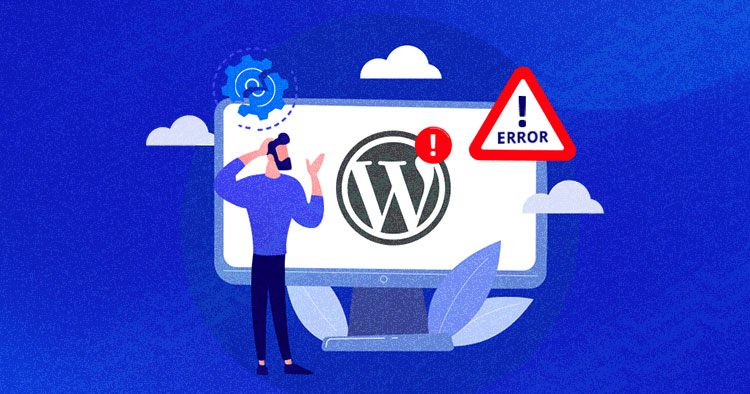
WordPress is one of the most powerful CMS platforms, and a major part of its flexibility comes from how developers can customise queries to fetch posts, pages, or custom content types. However, when things go wrong, debugging WordPress queries can become frustrating, especially when you're working with complex meta query WordPress conditions.
In this article, we'll walk you through the top five common WordPress query errors, explain why they occur, and most importantly, show you how to fix them. Whether youre new to development or building advanced WordPress websites, this guide will help you troubleshoot smarter.
1. "Nothing Found" Error Even When Content Exists
The Problem: You're expecting posts to show up, but WordPress returns no results often just a "Nothing Found" message.
Why It Happens: This usually means your query is too restrictive. It could be:
-
You're not querying the right post type.
-
Your taxonomy filter doesnt match any content.
-
Your custom fields (meta) values dont exist.
How to Fix:
-
Double-check all parameters in your WP_Query.
-
Add debugging tools like:
echo $query->request;
This will show you the raw SQL query being executed.
-
Also, temporarily dump $query->posts to see whats being returned.
2. meta_query Returns No Results
The Problem: You're using meta_query to filter by custom fields, but no posts are returned even though you know they exist.
Why It Happens: meta_query has some gotchas:
-
You're querying a meta key that doesn't exist.
-
Your value or compare type is incorrect.
-
You're dealing with serialised data or incorrect data types.
Common Mistakes:
-
Using 'compare' => '=' with a number stored as a string.
-
Forgetting to set 'type' => 'NUMERIC' when comparing numeric values.
-
Using the wrong meta_key (case sensitivity matters).
How to Fix: Heres an example of a correct meta_query:
$args = array(
'post_type' => 'product',
'meta_query' => array(
array(
'key' => 'price',
'value' => 100,
'compare' => '>=',
'type' => 'NUMERIC'
)
)
);
3. Custom Post Types Not Showing in Queries
The Problem: Youve registered a custom post type (CPT), but it doesnt appear in any query or on its archive page.
Why It Happens:
-
Your post type isnt publicly queryable.
-
You forgot to enable 'has_archive' or 'public'.
-
You havent flushed rewrite rules.
How to Fix: When registering your CPT, include:
'rewrite' => array('slug' => 'products'),
'has_archive' => true,
'public' => true,
'publicly_queryable' => true,
Then visit Settings > Permalinks in your dashboard to flush rewrite rules (or call flush_rewrite_rules() once).
Bonus tip: Always check your template hierarchy. For example, archive-product.php should exist for product post types.
4. Incorrect Use of pre_get_posts
The Problem: Youre modifying the main query using the pre_get_posts hook, but it breaks the layout or pagination.
Why It Happens:
-
Youre altering queries that shouldnt be changed (like admin or REST API requests).
-
Youre not checking for is_main_query().
How to Fix:
function modify_main_query($query) {
if (!is_admin() && $query->is_main_query() && is_home()) {
$query->set('post_type', array('post', 'product'));
}
}
add_action('pre_get_posts', 'modify_main_query');
This ensures only the main front-end query is changed, and you avoid breaking other parts of WordPress.
Want to explore more examples of modifying main queries conditionally? Check out our WordPress meta_query tutorial.
5. Pagination Not Working in WP_Query
The Problem: You set up a custom loop with WP_Query, but pagination returns only one page, or navigating to page 2 results in a 404.
Why It Happens:
-
You didnt pass the correct paged parameter.
-
The pagination base in paginate_links() is misconfigured.
How to Fix:
$paged = (get_query_var('paged')) ? get_query_var('paged') : 1;
$args = array(
'post_type' => 'post',
'posts_per_page' => 10,
'paged' => $paged
);
$custom_query = new WP_Query($args);
Then in your pagination template:
echo paginate_links(array(
'total' => $custom_query->max_num_pages
));
Be sure youre not conflicting with the global $wp_query object.
For complex pagination or archive scenarios, check our collection of WordPress query examples.
Final Tips for Debugging WordPress Queries
Debugging query problems is a rite of passage for any WordPress developer. Instead of guessing, always:
-
Log or print the generated SQL queries.
-
Validate that your post meta and taxonomy values exist.
-
Use tools like Query Monitor or Debug Bar.
Got a query issue you cant solve? Drop a comment or reach out on The Web Learners; we love helping developers debug smarter.
FAQs on WordPress Query Errors
1. What is the difference between WP_Query and get_posts()?
WP_Query is more powerful and flexible, allowing pagination, meta_query, and taxonomy queries. get_posts() is a simpler wrapper that returns an array of posts without pagination by default.
2. Why does my custom field filter not work?
Often, it's due to a typo in the meta key, using the wrong compare operator, or mismatched value types (e.g., comparing a string as a number).
3. How do I debug my WordPress queries?
Use $query->request to see the SQL. Tools like Query Monitor or Debug Bar are also excellent for visual debugging.
4. Can I use multiple meta_query conditions?
Yes. You can nest multiple conditions using relation => 'AND' or 'OR'. This is useful for combining several meta key/value conditions.
5. What is pre_get_posts and when should I use it?
pre_get_posts allows you to alter the main query before it executes. Use it to customize blog listings, search results, or archives.
6. Why is pagination broken in my custom query?
If you're not passing the paged parameter correctly or using query_posts() improperly, pagination may break. Always use WP_Query with proper pagination setup.
7. Do I need to flush permalinks after registering a CPT?
Yes, especially if you added or changed the slug. Visit Settings > Permalinks or use flush_rewrite_rules() once in your plugin/theme setup.



![Best Stock Market & Trading Courses in Delhi [2025]: Learn from the Top Institutes](https://www.bipdallas.com/uploads/images/202506/image_140x98_685a897e4b50b.jpg)