











































Design Tips for Perfect Foamex Prints: From File Prep to Finishing
Learn expert design tips for perfect foamex printing, from file preparation to finishing techniques, ideal for exhibition panels and display success.

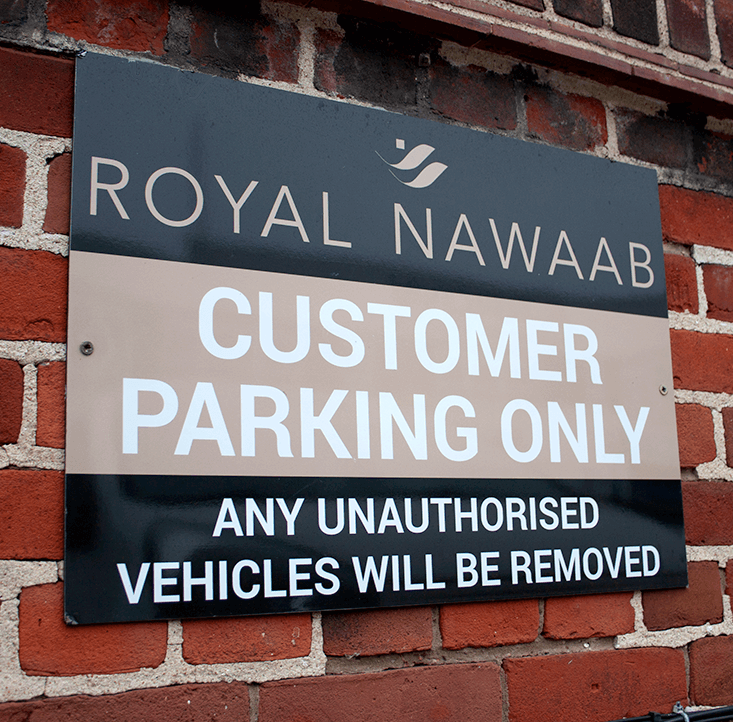
Foamex has become one of the most preferred materials for display and signage printing due to its durability, versatility, and sleek finish. Whether you're designing promotional material for a trade show or signage for a retail outlet, ensuring your artwork is well-prepared for foamex printing is essential. From initial file setup to the final finishing touches, every stage can significantly influence the print outcome. In this guide, well take you through expert design tips to ensure your foamex prints are nothing short of flawless.
Understanding Foamex and Its Versatility
It is commonly used for producing exhibition panels, retail displays, wall art, promotional signs, and more. Available in various thicknesses such as 3mm, 5mm, and 10mm, foamex offers flexibility depending on the application.
As a result,foamex printingis perfect for creating professional-looking materials that need to withstand regular handling and transportation, especially in events and exhibitions.

Choosing the Right Design Software
The foundation of a good foamex print lies in the software you choose for designing. Professional design programs offer greater control over resolution, colour profiles, vector support, and image quality.
- Use Adobe Illustrator or CorelDRAW for vector-based graphics that retain clarity at any size
- Choose Photoshop or InDesign when working with high-resolution images or multi-page layouts
- Avoid using presentation or word processing tools like PowerPoint or Word, which are not optimised for commercial printing
Proper software helps ensure the output remains sharp and consistent, which is vital when creating content for exhibition panels that will be viewed up close.
Setting Up Your Design File
File preparation plays a crucial role in how your final printed product turns out. Whether you're designing a single poster or a series of exhibition panels, setting up your file correctly avoids many print-related issues later.
- Ensure your artwork size matches the final print dimensions precisely, including the orientation (landscape or portrait)
- Keep all vital text and graphics within a 5mm safe margin to ensure they are not cut off
- Use a minimum resolution of 300 DPI for all raster images to maintain sharpness and detail
- Work in CMYK colour mode rather than RGB to reflect how colours will appear in print
This meticulous setup ensures your design elements appear exactly as intended without unexpected cropping or colour distortion.
Working with Colours Effectively
Colour choice and accuracy are especially important when designing for foamex printing. The materials white surface enhances colour vibrancy, making it suitable for bold and impactful designs.
- Use Pantone colour guides to maintain brand consistency when using spot colours
- Choose high-contrast colour schemes to improve legibility from a distance
- Avoid overly dark or similar hues in large blocks, which may appear flat on a matte foamex surface
- Always test your palette on a printed proof or soft proof to visualise the end result before production
Balanced colour usage can turn an ordinary layout into an eye-catching visual asset suitable for exhibitions and trade fairs.
Typography for Large Format Clarity
When designing for large surfaces such as foamex boards or exhibition panels, typography should be both impactful and legible.
- Use bold, clean fonts that can be read from several feet away
- Maintain a minimum font size of 20pt for body text and 40pt for headings
- Keep line spacing and kerning consistent to avoid visual clutter
- Avoid script and novelty fonts for informative content
Well-thought-out typography not only communicates your message clearly but also adds to the overall aesthetic appeal of your display.
Incorporating Images and Graphics
High-quality visuals make a substantial impact on printed materials. When used correctly, they can elevate your exhibition panels by engaging viewers instantly.
- Use only high-resolution images (300 DPI or higher) to avoid pixelation
- Avoid copying images from the web as they often have poor resolution and copyright issues
- Ensure all embedded files and linked assets are included when submitting artwork
Professional images and clean graphics are crucial in making your foamex print visually stunning and credible.
Proofing and Pre-Print Checks
Even the most well-designed file can result in poor prints if not checked carefully before submission. Proofing ensures there are no overlooked mistakes that could affect the final result.
- Double-check spelling, grammar, alignment, and placement of all elements
- Review colour contrast to ensure readability across all lighting conditions
- Use mock-ups or 3D previews to visualise the final setup of your design
Running these checks minimises the risk of production errors and ensures a smoother transition from digital file to printed foamex board.
Finishing Touches That Enhance Appearance
Finishing options can greatly influence the professional feel and durability of your foamex printing. Whether the product will be handled frequently or mounted in a permanent setting, the right finishing adds polish.
- Choose between matte and gloss lamination based on desired aesthetic and lighting conditions
- Opt for rounded corners to prevent damage during handling
- Consider drill holes or velcro fixings for easy mounting at exhibitions
These finishing touches improve your printed products' usability and aesthetic appeal, particularly in crowded settings like trade exhibitions.
Common Mistakes to Avoid
Despite the straightforward nature of foamex printing, certain errors can undermine your entire effort. Avoiding these common pitfalls helps you achieve more professional results.
- Submitting files in RGB colour mode, which may print differently than expected
- Using low-resolution images or screen grabs, which can appear blurry or pixelated
- Not flattening layers or embedding fonts when exporting to PDF
By steering clear of these missteps, you ensure yourexhibition panelsand signs maintain a sharp, clean and visually appealing finish.
Final Checklist Before Printing
Before you send your file for foamex printing, go through a final checklist to confirm everything is in order:
- File format should be high-resolution PDF with bleed and crop marks
- All fonts are outlined or embedded
- Colours are converted to CMYK
- Layers are flattened (unless specified otherwise)
- Images are embedded, not linked separately
- File is named appropriately and matches the order or project name
This level of diligence not only helps your printer work more efficiently but also reduces turnaround times and unexpected revisions.
Conclusion
Creating professional-grade foamex prints is a combination of smart design, proper file setup, high-resolution assets and detailed finishing. By following these comprehensive tips, you ensure your exhibition panels not only look visually striking but also serve their purpose effectively in promotional, corporate, or event settings. Whether youre preparing signage for a product launch or building an immersive booth for a trade fair, taking the extra time to get the details right pays off in the form of stunning printed results. For flawless results that showcase your design expertise and elevate your brand presence, trust the experience and quality assurance of Foamex Printing Company.




![Best Stock Market & Trading Courses in Delhi [2025]: Learn from the Top Institutes](https://www.bipdallas.com/uploads/images/202506/image_140x98_685a897e4b50b.jpg)